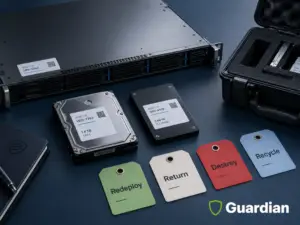
Enterprise erasure projects are usually designed around a straightforward path: the approved sanitization technique runs, the tool records what occurred, the result is connected to the correct device, and the media proceeds to its authorized disposition.
At enterprise scale, the result is not always a simple pass or fail.
A device may fail to complete the selected technique. An alternate method may be attempted. The software may successfully complete a different sanitization technique from the one originally planned. The technical process may therefore produce a successful result while still requiring a validation decision before the device can be released.
That distinction is important because the objective is not simply to prove that software completed a process. The organization needs evidence that the method actually performed on that specific device satisfies the required sanitization outcome and authorized disposition.
Direct answer: When enterprise data erasure fails, the device should leave the standard release path and enter a controlled exception workflow. The team should preserve custody, record the failure, determine whether a supported retry is justified, apply the approved alternate method, validate the final outcome, and reconcile the result to the original asset record. The device should not be released as sanitized until that exception is closed.
This article provides operational guidance, not legal advice. Organizations should confirm applicable legal, contractual, privacy, security, records, and industry requirements with their responsible teams.
What Counts as an Enterprise Erasure Failure
A software error is one type of failure, but it is not the complete definition. The erasure outcome is unresolved whenever the organization cannot connect an identified device to an approved technique, a verified result, a validation decision, and an authorized disposition.
The following conditions should place a device or record into exception status. Some indicate a technical problem. Others show that the technical process may have completed while the control record remains incomplete.
| Exception type | What the team observes | Why release should stop |
| No result | The tool does not start, does not finish, or produces no usable record. | There is no evidence that the approved technique was completed. |
| Failed verification | The process runs, but the verification result is unsuccessful or incomplete. | Completion cannot be confirmed for the device. |
| Validation rejected | Verification data exists, but the authorized validator does not accept the outcome for the planned disposition. | The result does not satisfy the organization’s decision criteria. |
| Unsupported or inaccessible media | The device, interface, firmware state, security state, or condition prevents the approved technique from running. | The planned method cannot produce a defensible outcome. |
| Identity mismatch | The physical serial number, asset record, and tool result do not agree. | The organization cannot prove which device received the result. |
| Unlisted or missing media | A device appears outside the approved baseline, or an expected device cannot be found. | Scope and custody cannot be reconciled. |
| Automatic method substitution or fallback | The originally approved sanitization technique cannot be completed, and the erasure tool applies a different technique or sanitization level. | A successful software result does not by itself establish that the alternate technique satisfies the required sanitization outcome, data sensitivity, policy, or intended disposition. The method change should remain visible at the device level and be validated before release. |
A useful status model separates completed, failed, pending review, retry authorized, destruction authorized, missing, and closed. Counting every attempted device as processed hides the difference between work performed and risk resolved.
Why Erasure Fails at Enterprise Scale
Large programs combine different drive types, ages, conditions, interfaces, owners, and disposition requirements. The same approved technique may not be available or appropriate for every device. Site access windows and lease deadlines can also limit the time available to diagnose a device.
The first task is to classify the observed failure without guessing at a root cause. A technician can record the tool message, connection state, device condition, and identifier. A qualified owner can then decide whether the evidence supports a retry, a different approved technique, physical destruction, or further investigation.
| Failure category | Examples to investigate | Control response |
| Media or device condition | Read errors, hardware faults, damaged connectors, unstable power, or an unreadable device. | Isolate the media and determine whether another approved technique is technically supported. |
| Interface or connectivity | Controller, adapter, cable, protocol, or enclosure prevents reliable communication. | Correct the known connection issue only within the approved work instruction, then retest. |
| Security or configuration | Locked state, firmware behavior, encryption state, permissions, or unavailable credentials. | Escalate to the authorized technical and security owner before changing configuration. |
| Technique mismatch | The planned technique or tool does not support the media or required sanitization outcome. | Select an approved technique that fits the media and disposition. |
| Process interruption | Power loss, workstation failure, time window expiration, or an operator stopped the job. | Preserve the partial record, return the device to controlled status, and decide whether a restart is authorized. |
| Identity and evidence | Serial mismatch, duplicate record, missing label, or result cannot be mapped to the source asset. | Resolve identity before accepting or releasing the result. |
The First Response Is Containment
The safest immediate response is procedural. Remove the device from the completed population, keep it within the approved custody boundary, and make its status visible. Technical diagnosis can follow. Release should not.
-
- Move the device to a physically controlled exception area or container
-
- Mark the record as failed or unresolved without overwriting the original attempt
-
- Preserve tool output, timestamps, error codes, operator notes, and device identifiers
-
- Record the current location, custodian, and any internal transfer
-
- Block resale, lease return, recycling, redeployment, or transport as sanitized media
-
- Assign an exception owner and the date by which the next decision is required
Containment reduces two risks. It prevents an unresolved device from mixing with released assets, and it preserves enough evidence to explain what happened. Both matter when several teams handle the same project.
A Six Step Exception Workflow
1. Detect and classify: Record the observed condition, the attempted technique, the tool result, and the device identifier. Use a controlled exception category instead of a free text label when possible.
2. Isolate and control: Move the device out of the completed queue. Preserve custody and prevent release until an authorized disposition decision is recorded.
3. Decide whether a retry is justified: Confirm that the media and technique are supported, the cause is understood enough to act, the retry is permitted by policy, and the new attempt can produce verifiable evidence.
4. Authorize the alternate path: If the retry is not appropriate or does not succeed, select the approved alternate method. Physical destruction is often the practical path when reuse is no longer required, but the technique must fit the media and protection requirement.
5. Verify and validate the final outcome: Verification confirms that the selected technique completed as intended. Validation is the authorized decision that the result is acceptable for the data sensitivity and planned disposition.
6. Reconcile and close: Connect the final outcome to the original asset record, record the disposition, update project counts, and retain the supporting evidence under the organization’s records policy.
The workflow should preserve a clear history. The final record should show the failed attempt and the corrective path. Replacing the original result with a clean final status can remove the evidence needed to explain the exception.
When a Retry Is Appropriate
A retry can be reasonable when the failure resulted from a correctable condition and the approved technique remains suitable. Examples may include a known connection issue, an interrupted session, or a supported device that can be processed again under the work instruction.
Before authorizing another attempt, confirm that all of these conditions are true.
-
- The device identity is reliable and remains linked to the original record
-
- The media and selected technique are supported by the approved tool and policy
-
- The observed cause has a defined corrective action within the team’s authority
-
- The retry will not conflict with lease terms, warranty rules, evidence requirements, or schedule limits
-
- The result can be verified and sent to an authorized validator
-
- The project has a limit for repeated attempts and a defined escalation path
Unlimited retries create operational delay without resolving the control question. The project plan should define how many attempts or how much diagnostic time is permitted before the media moves to another approved outcome. The threshold may differ by media type, reuse value, data sensitivity, contract, and schedule.
What If the Erasure Tool Uses an Alternate Method?
An erasure attempt does not always end with a simple pass or fail result.
In some environments, the originally selected sanitization technique may be unavailable, unsupported, or rejected by a particular device. Depending on the software, configuration, and approved workflow, the system may then attempt another supported method.
That creates a different control question.
The issue is no longer simply whether the software completed a process. The organization needs to determine whether the method that actually completed satisfies the sanitization requirement established for that device.
For example, if a project requires a Purge outcome and the device cannot complete the selected Purge technique, a subsequent Clear technique should not automatically be treated as equivalent simply because the software reports successful completion.
The device level record should make the method transition visible and allow the validator to answer several questions:
- What sanitization technique was originally approved?
- What technique actually completed?
- Why did the original technique change?
- Does the completed technique satisfy the required sanitization level and intended disposition?
- Was the alternate method authorized by policy or by the designated decision owner?
- What happens to the device if the resulting outcome is not accepted?
This is where verification and validation perform different functions.
Verification establishes whether the technique that actually ran completed according to the defined process. Validation determines whether that verified result is acceptable for the information sensitivity, organizational policy, contractual requirements, and planned disposition.
A technically successful result can therefore remain an operational exception until that validation decision is made.
For projects involving reuse, resale, lease return, or redeployment, this distinction becomes particularly important because the media may leave the organization’s immediate control after processing.
If the alternate technique does not meet the required outcome, the device should remain within the controlled exception path. The next authorized decision may include another supported sanitization technique, further technical review, or physical destruction.
When Physical Destruction Becomes the Better Path
Physical destruction is often selected after failed erasure when the organization no longer needs the media to remain usable. It can close the exception without depending on a device interface or another software attempt. The authorization should come from the organization’s policy and project decision owner, not from the technician alone.
The destruction path deserves early consideration when
-
- The device is damaged, unreadable, unsupported, or cannot complete the approved erasure technique
-
- Reuse, return, or resale is no longer required
-
- The expected recovery value does not justify more diagnostic work and controlled storage
-
- The project window would close before another defensible erasure attempt could be completed
-
- Organizational policy requires a destroy outcome for the media or information category
The word “destruction” is not a complete specification. The organization should define the approved technique for the media and the required protection outcome. NIST Special Publication 800 88 Revision 2 provides a current risk-based framework for selecting and documenting media sanitization techniques. It does not make one physical process universally sufficient for every media type or information category.
Decision Matrix for Failed Erasure
| Observed condition | Reuse need | Likely next decision | Evidence required before release |
| Known interruption with supported media | Required | Correct the approved condition and retry within the defined limit. | Original attempt, corrective action, new result, verification, and validation. |
| Verification failed | Required | Review the cause and authorize a supported retry or alternate technique. | Failed verification, decision owner, final technique, final result, and validation. |
| Locked or unsupported device | Preferred | Escalate to the authorized owner. Use another approved technique if supported. | Device state, approval, method selection, result, and disposition. |
| Damaged or unreadable media | Not required | Route to the approved physical destruction path. | Failure record, custody, destruction result, validation, and reconciliation. |
| Serial or inventory mismatch | Any | Stop processing status until identity and scope are resolved. | Source record, physical identifier, correction approval, result, and closeout. |
| Validator rejects the result | Any | Keep the device controlled and apply the validator’s approved corrective path. | Verification data, rejection reason, corrective decision, and final validation. |
This matrix is a planning aid. The organization’s policy, risk assessment, contracts, and applicable requirements should determine the authorized methods and decision owners.
What Evidence Closes the Exception
An exception is closed when the record explains the original scope, the failed attempt, the decision that followed, the completed outcome, and the final disposition. A failure count without device level closure leaves the organization unable to show where the affected media ended.
| Evidence field | Question the record should answer |
| Device identity | Which serial number, asset tag, media identifier, and source record belong to this exception? |
| Planned outcome | Was the device intended for reuse, lease return, resale, redeployment, storage, recycling, or destruction? |
| Attempt record | Which technique, tool, version, operator, location, and timestamps apply to the failed attempt? |
| Observed failure | What result, error code, condition, verification issue, or identity problem caused the exception? |
| Custody status | Where did the device remain, and who controlled each required transfer? |
| Decision authority | Who approved a retry, alternate technique, destruction, investigation, or other outcome? |
| Final result | Which technique completed, how was it verified, and who validated the outcome? |
| Disposition and reconciliation | Where did the device or processed material go, and how did the project baseline change? |
The evidence should remain connected. A tool log, destruction certificate, and custody record may each be accurate while still failing to answer an asset specific question if they use different identifiers or cannot be reconciled to the source inventory.
How to Design Enterprise Projects for Failure
Exception handling works best when it is designed before the first device enters the erasure queue. Planning does not mean predicting an exact failure rate. It means reserving the people, space, authority, equipment, time, and reporting fields needed to resolve failures without improvisation.
1 Define statuses and owners Name the party who can authorize a retry, approve destruction, resolve an identity mismatch, and accept the final result.
2 Create controlled exception capacity Provide secure staging space, containers, labels, and reporting fields for devices that cannot follow the standard path.
3 Set retry and escalation limits Use media type, policy, reuse need, value, and schedule to define when the team stops diagnostics and requests another decision.
4 Reserve an alternate processing path If physical destruction may be required, confirm authorization, equipment, media preparation, site access, and evidence requirements in advance.
5 Reconcile throughout the project Compare expected, received, completed, exception, missing, and extra assets by batch. Do not wait until site departure to discover unresolved counts.
6 Protect the closeout window Leave time for validation, corrected records, exception processing, and customer approval before a lease, audit, or transport deadline.
Case Study A Planned Exception Path for 6,500 Assets
A global ITAD provider asked Guardian to support a data center project involving 5,000 enterprise hard drives scheduled for onsite erasure and 1,500 drives and peripherals scheduled for physical destruction. The work had to be completed onsite under a tight lease deadline.
The project showed why enterprise erasure needs an alternate path. Some 6 terabyte drives took almost 10 hours to process, and some devices required more than one approved method. Guardian and the ITAD provider had agreed that drives that could not be erased would be destroyed. Onsite destruction capacity allowed those failed devices to move into the authorized exception path without leaving the project unresolved.
Inventory reconciliation also found more than 60 assets that were missing from the original list or not recorded correctly. The list was corrected and signed before processing continued. Guardian completed the combined erasure and destruction project in less than one week.
Operational lesson The project did not depend on every drive completing the preferred path. It depended on a predefined decision for drives that could not be erased, onsite capacity to execute that decision, and reconciliation that kept the physical population aligned with the records.
How Guardian Supports Enterprise Erasure Exceptions
Guardian supports enterprise infrastructure teams and their ITAD, VAR, and MSP partners with onsite execution for erasure and physical destruction. The engagement can be a focused data destruction event or part of a decommission, hardware refresh, relocation, lease return, or consolidation.
-
- Project scoping by site, media type, quantity, schedule, access, disposition, and evidence requirement
-
- Serialized intake and reconciliation against the approved project baseline
-
- Onsite erasure for eligible media under the approved project workflow
-
- Controlled handling and reporting for failed, unsupported, damaged, missing, or mismatched media
-
- Onsite physical destruction for media authorized to follow the destruction path
-
- Custody records and reporting that connect the original asset, exception, final result, and disposition
-
- Nationwide field coordination for single site and multisite programs
Partners retain their customer relationships and program ownership. Guardian provides the field execution and project records needed to support the approved disposition plan.
Enterprise Erasure Failure Checklist
Before execution
-
- Define the approved technique by media type and intended disposition
-
- Name the validator, exception owner, destruction authority, and reconciliation owner
-
- Define retry limits and the alternate path for media that cannot be erased
-
- Prepare controlled exception staging and required reporting fields
-
- Confirm onsite destruction capacity when it is part of the approved plan
During execution
-
- Separate completed devices from failed, pending, missing, and newly discovered media
-
- Preserve original attempt records and maintain custody
-
- Approve corrective action before a retry or method change
-
- Review any automatic or operator initiated method substitution before accepting the device as sanitized
-
- Confirm that the technique recorded in the final device level result is the technique that actually completed
-
- Escalate any difference between the required sanitization outcome and the completed method to the designated validator
-
- Reconcile counts and identifiers by batch
Before closeout
-
- Verify the final technique and obtain the validation decision
-
- Connect each exception to its final disposition
-
- Resolve missing, extra, duplicate, and mismatched records
-
- Retain logs, approvals, custody records, and certificates under the records policy
Frequently Asked Questions
What Is a Failed Erasure?
A failed erasure is any result that does not support release of the identified media under the approved policy. It may involve a technical error, failed verification, rejected validation, unsupported media, incomplete evidence, or an identity mismatch.
Can a Failed Drive Be Retried?
Yes, when the cause is understood enough to apply an approved corrective action, the media and technique remain supported, the retry is authorized, and the final result can be verified and validated. Projects should set a limit so repeated attempts do not leave the device in indefinite exception status.
Does a Tool Failure Mean Data Is Recoverable?
A tool failure alone does not prove whether data is recoverable. It proves that the organization lacks an accepted erasure result for that attempt. The correct response is to keep the media controlled and apply the next approved method.
When Should Failed Media Be Destroyed?
Physical destruction is often appropriate when erasure cannot be completed and the media no longer needs to remain usable. The decision should follow organizational policy, the media type, information sensitivity, intended disposition, contract terms, and the approved destruction technique.
Can Failed Media Leave the Site?
Only under an approved custody and disposition plan. A failed device should not be represented as sanitized. When unsanitized media must move, the organization should define authorization, packaging, custody, transport, destination, and evidence requirements before release. Onsite exception processing can reduce that exposure.
What If the Serial Number Does Not Match?
Stop release and treat the device as an identity exception. Compare the physical identifier, source inventory, intake record, and tool output. Record any approved correction so the final result remains linked to the correct asset.
What Should a Failed Erasure Record Include?
The record should include the device identifier, intended disposition, attempted technique, tool and version, timestamps, observed failure, custody status, decision owner, corrective method, verification, validation, final disposition, and reconciliation status.
How Does NIST Revision 2 Apply?
NIST SP 800 88 Revision 2 helps organizations select and document sanitization techniques according to media, information sensitivity, disposition, and other risk factors. It distinguishes verification from validation and supports records that connect the device, technique, personnel, date, location, result, and approval. Organizations must translate that framework into their own policy and exception rules.
Plan the Exception Path Before Erasure Starts
The test of an enterprise erasure plan is what happens to devices that do not complete the standard path. Controlled staging, named decision owners, retry limits, authorized destruction capacity, and asset level reconciliation can turn a failed attempt into a closed exception.
To scope an onsite project, share the sites, media types, estimated quantities, reuse or lease requirements, data sensitivity, access windows, target dates, inventory format, alternate disposition rules, and required reporting fields.
Plan an enterprise erasure and destruction project with Guardian
Sources and Further Reading
NIST Special Publication 800 88 Revision 2 Current federal guidance for building a media sanitization program and selecting appropriate techniques.
FTC Disposal Rule An example of a rule that requires covered organizations to take appropriate measures when disposing of certain sensitive information.
Guardian Data Onsite Data Erasure vs Shredding for Audit Compliance Related guidance on method selection, verification, validation, evidence, and exception closure.
Guardian Data 5000 Enterprise Hard Drives Erased in Less Than a Week Case study supporting the project facts used in this article.